How do I troubleshoot a display that is not showing content?
If your display is not showing content, verify that the media player is powered on, the display is set to the correct input source, and all cable connections are secure. Work through each check below in order to isolate the issue.
- Confirm the media player is powered on.
- Check whether a power outage has occurred.
- Check whether an internet outage has occurred.
- Confirm the displays are powered on and set to the correct input source.
- The correct source is typically HDBaseT.
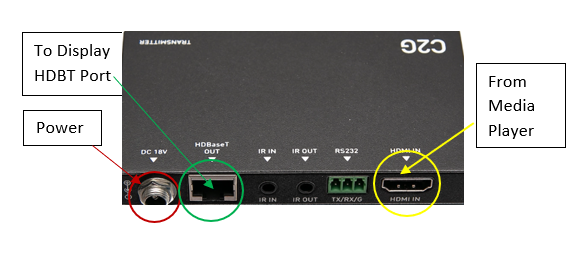
- Inspect all cable connections.
- Verify that all cables are fully and securely seated.
- Check each cable for visible physical damage.
- Has there been a power outage?
- Has there been an internet outage?
Check to see if the displays are powered on, and the proper source is selected.
- Typically, HDBaseT
Check cable connections
- Are they all seated securely?
- Do the cables have any damage?
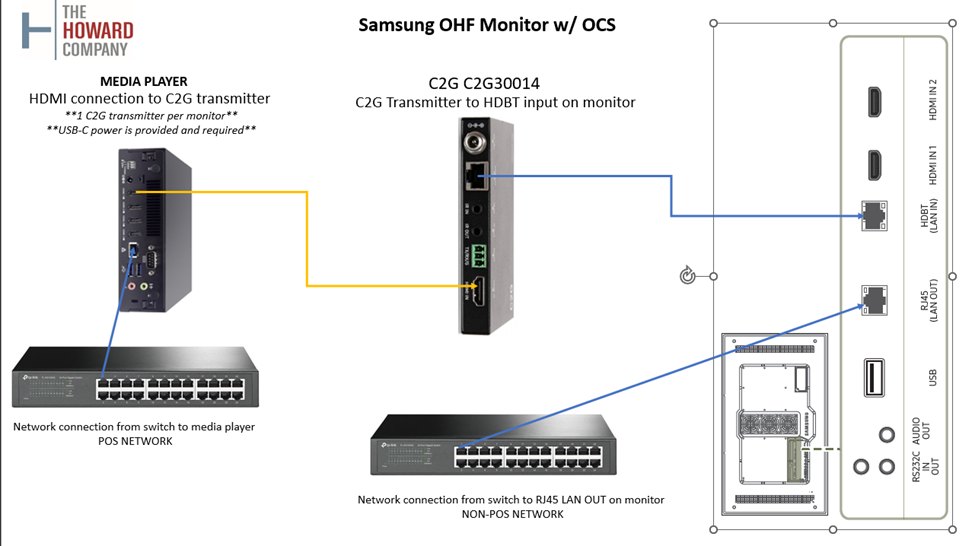
Media player – 4 out
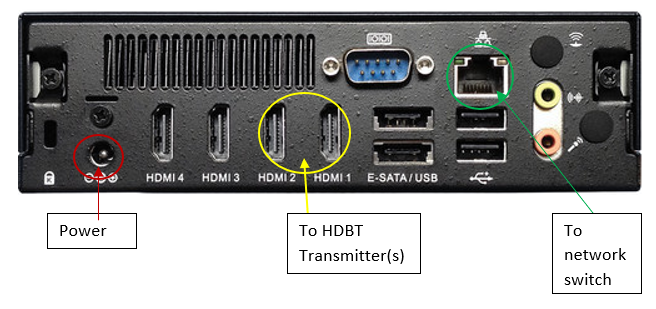
Media player – 2 out
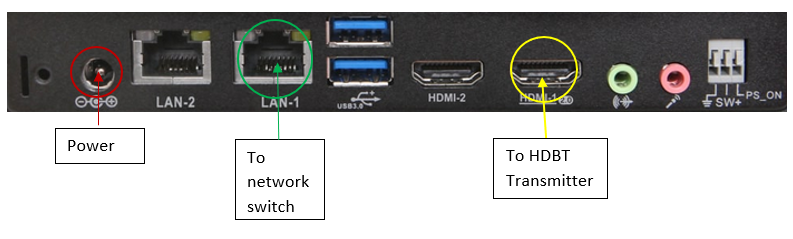
HDBT transmitter
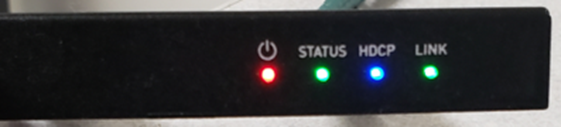
Note: The indicator lights on your transmitter should match the states shown in the reference images above. If any lights differ, the transmitter may not be properly connected or receiving power.