
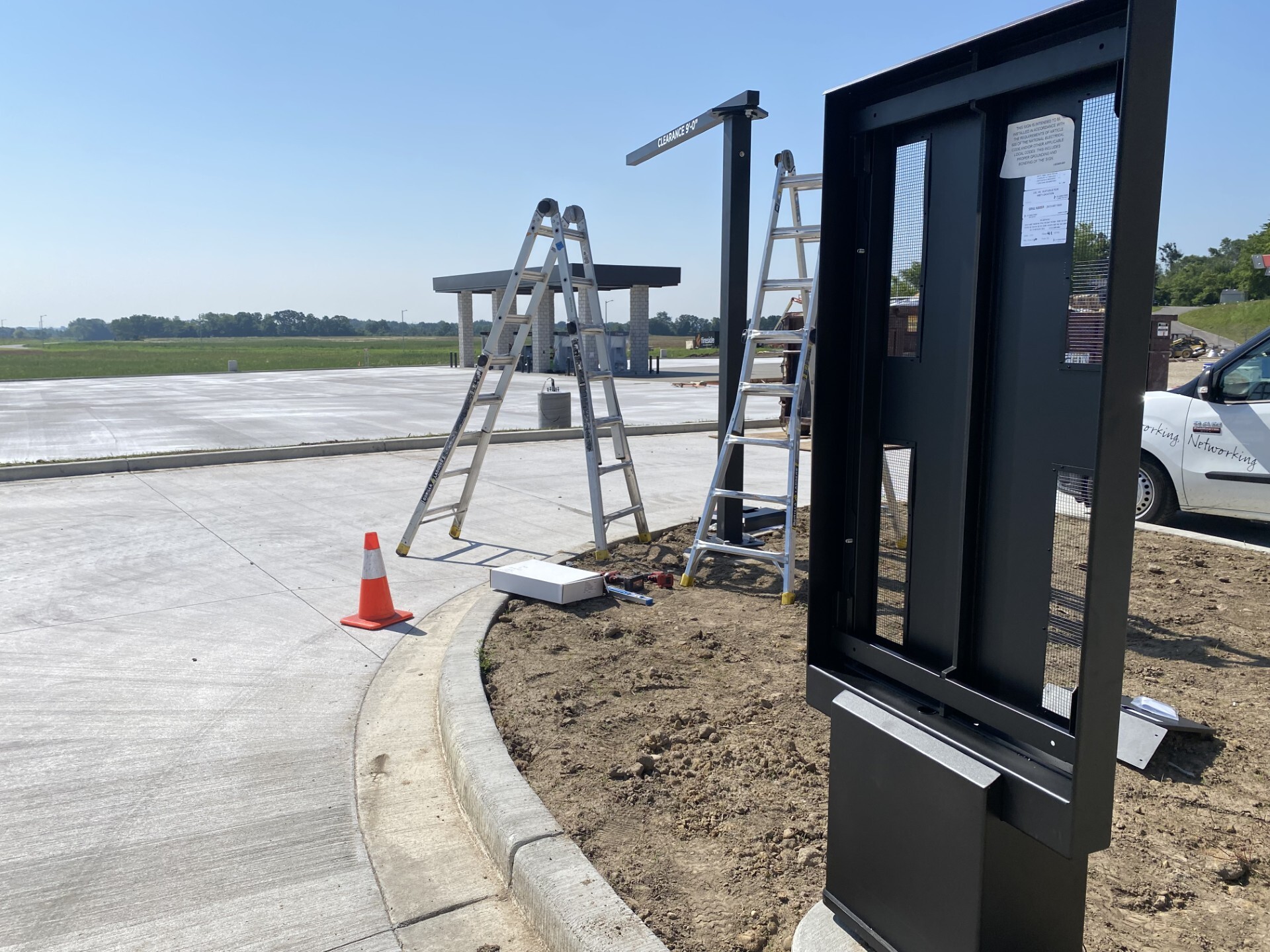
Drive-Thru Installation Responsibilities: Who Does What

Last updated: August 8th, 2026
A drive-thru installation splits across five parties. The Howard Company supplies and mounts the equipment, you provide power and network, your general contractor handles foundation and conduit, a licensed electrician makes the final hookup, and a low voltage tech connects the digital monitors.
At a glance: who does what
-
The Howard Company: supplies the equipment, coordinates the installation crew, runs the site survey and tests the finished system.
-
You: power and network at the install points, site access on installation day, final sign off.
-
Your general contractor: foundation, conduit, electrical rough-in and usually the permits.
-
Licensed electrician: the final electrical hookup.
-
Low voltage tech: the digital monitor connections and network.
-
Biggest schedule risk: permits, which take two to twelve weeks depending on the city.
Who is involved in a drive-thru installation?
Five parties, and each one owns a different piece. Two of the five are hired by you.
The Howard Company
-
Supplies all equipment
-
Hires & manages third-party technicians
-
Conducts site surveys
-
Coordinates scheduling & logistics
-
Tests & verifies system functionality
Customer / Site Owner
-
Provides power at install points
-
Provides network infrastructure
-
Ensures site access
-
Coordinates with General Contractor (GC)
-
Final sign-off
General Contractor (GC)
-
Concrete foundations/footers
-
Conduit installation
-
Electrical rough-in
-
Trade coordination
-
Permitting (typically)
Licensed Electrician
-
Final electrical hookup
-
Dedicated circuits
-
Code compliance
-
Electrical permits
LV Tech (Third-Party)
The contractor who handles data and communication cabling rather than line power.
-
Final digital monitor connections
-
CAT6 (Category 6 Ethernet cable) runs to network switch
-
Network configuration & testing
-
Remote monitor verification
⚠ Critical:
Your licensed electrician handles the final electrical hookup, and you hire them directly. Book them before installation day. This is the most common thing we see hold up a finished lane.
Who is responsible for each drive-thru installation task?
The Howard Company supplies and installs the equipment. You provide power and network. Your contractors handle the foundation, the conduit, the final electrical hookup, and the digital monitor connections.
| Task | The Howard Company | You | Your Contractors |
|---|---|---|---|
| Supply the equipment | The Howard Company | ||
| Mount menu boards and fixtures to the foundation | The Howard Company | ||
| Mount indoor monitors, wall or ceiling | The Howard Company | ||
| Install the headset base station |
The Howard Company |
||
| Install the drive-thru speaker and microphone |
The Howard Company |
||
| Saw cut the vehicle detector loop | The Howard Company | ||
| Run cable through conduit | The Howard Company | ||
| CAT6 runs to the network switch | The Howard Company | Or your low voltage tech | |
| Final electrical hookup |
Licensed electrician |
||
| Final digital monitor connections | Low voltage tech |
Who handles site infrastructure and permits before installation?
Site infrastructure splits three ways. Your general contractor handles the physical build, you or your IT team handles power and network, and The Howard Company handles the site survey and can manage permits on request.
| Task | The Howard Company | You | Your Contractors |
|---|---|---|---|
| Concrete foundation and footers | General contractor | ||
| Conduit installation | General contractor | ||
| Electrical rough in to junction boxes | General contractor, with a licensed electrician | ||
| Power outlets at install points | You arrange it | Licensed electrician | |
| Network ports and switch | You or your IT team | ||
| Firewall configuration | You or your IT team | ||
| Site survey | The Howard Company | ||
| Permits | The Howard Company, on request, billed at cost | Confirm who owns it | General contractor, usually |
What does The Howard Company not do?
Three things: the final electrical hookup, your local permits, and your network and firewall setup. All three sit with you or your contractors. Settling who owns each one at kickoff is what keeps the schedule intact.
Final electrical hookup
Your licensed electrician handles the final hookup, and you hire them directly.
See what our installation pricing does cover on the installation cost page.
Local permits
Your general contractor or a local sign company usually can. Ask them early so the project does not stall. The Howard Company can manage permitting on request and passes the cost through at actual cost.
Network and firewall setup
Digital menu boards need a live port, a configured firewall, and one available port per monitor.
The Howard Company runs up to 100 feet of CAT6 per monitor, so if a screen sits farther than that from the switch, that run is on your low voltage tech.
What causes drive-thru installation delays?
Usually planning, not equipment. Permits alone take two to twelve weeks depending on the city.
These are the delays The Howard Company install coordinators run into most:
- Permit delays: Approval takes two to twelve weeks depending on the city. Start early and settle who owns permits at kickoff.
- Scope added after work has started: Adding something later, like a clearance bar you passed on at first, means new site plans and often a new permit. Settle the full scope before permitting begins.
- Site not ready when the crew arrives: A return trip charge applies, because the crew and travel are booked ahead. Ready means the foundation is poured and cured, conduit is in place and power is at every install point. It also means the network is live with one port per monitor and a site contact who knows the building is on hand.
- Final electrical not scheduled: The equipment is mounted and waits until an electrician is booked. Book them before installation day.
What happens at each stage of a drive-thru installation?
Nine stages from the kickoff call to your sign off. The survey alone takes one to two weeks to schedule after your order, and four of the nine depend on your contractors rather than on The Howard Company.
-
Project kickoff call: Your site owner or manager and your general contractor both need to be on it. Bring your IT contact if there are digital screens.
-
Site survey: Allow one to two weeks after your order for our installation team to reach out. Our installation team assesses the site and provides scope and estimate.
-
Site preparation: Your general contractor and electrician complete foundation, conduit, and electrical rough in.
-
Site readiness check: You confirm power, network, and conduit are ready before production begins.
-
Production and shipping: Production begins once payment terms are complete.
-
Equipment installation: Mounting, cable runs, and equipment setup by the third-party technicians The Howard Company coordinates.
-
Final connections: Your licensed electrician completes the electrical hookup. Your low voltage tech completes network connections.
-
Testing and verification: Full system test on site, plus remote verification of the digital signage.
-
Approval: You confirm the installation is complete, and your 30-day installation warranty begins.
Book early! Skilled trade labor is tight, so The Howard Company reserves time with installation partners well in advance. The more we know up front, the better the odds of hitting your date.
Customer Reviews
PJ's Coffee
Google Review
Sip & Savor
Google Review
Homeward Kitchen
Google Review
Frequently Asked Questions
Does The Howard Company provide the electrician?
No. Final electrical hookup is not included in The Howard Company's installation pricing. You hire a licensed electrician and schedule them.
Who pulls the permits for a drive-thru installation?
Usually, your general contractor or a local sign company.
Confirm who owns permits at kickoff, because approval takes two to twelve weeks depending on the city.
What happens if my site is not ready on installation day?
A return trip charge applies. If the crew arrives and power, conduit, or access is not in place, you are billed for the trip even if the installer turns around and leaves.
Do I need to involve my IT team?
Yes, if you are installing digital screens. The Howard Company has specific data requirements, and the screens need a live network port, a configured firewall, and one port per monitor. Getting your IT contact on the kickoff call prevents a second trip.
What happens if my dates change?
Tell us as soon as you know. If an installation appointment is already on the calendar, the trip is billable even if the installer arrives and leaves.
How far ahead should I schedule?
As early as you can. Persistent skilled trade labor shortages mean we reserve time with our installation partners well in advance, and the site survey alone takes one to two weeks to schedule after your order.
Is the installation warrantied?
Yes. A 30-day installation warranty from The Howard Company begins the day you sign off on the completed installation, and it covers the installation work itself. If something we mounted, cabled, or wired is not right, we come back and fix it at no charge. Equipment defects fall under the manufacturer warranty on the product, which is separate from the installation warranty.
Ready to Plan Your Installation?
The Howard Company has been coordinating multi-party drive-thru installations since 1950, for quick service restaurants, convenience stores, banks, and dispensaries across the country.
Responsibility assignments reflect standard installation practices and may vary based on contract terms, project scope, and local requirements.