
Digital Signage Explained: Displays, Software, Content & Support
Digital Signage & Digital Menu Boards Explained: The 7 Things to Evaluate
Digital signage can lift average check, speed up the drive-thru, cut print costs, and keep every location on brand. But a screen on the wall is the easy part. What makes it work is the mix behind it: the right display, software your team can use, a reliable connection, and content that stays fresh.
WHERE TO START Start with the business case, not the screen
The most successful digital signage projects start with a clear job for the screens, not a hardware spec. Before anything else, get clear on a few things.
Your objective
Decide what the screens are for: lifting average check, speeding service, cutting print costs, or pushing promotions. The objective shapes every decision after it.
How you measure success
Look at both returns on investment, the hard dollars, and return on objectives, softer wins like brand consistency or upsell rate.
Whether screens earn revenue
Displays can be a cost center, or they can pay their way by promoting high-margin items and, in some settings, running paid advertising.
THE ANATOMYThe parts of a digital signage system
A digital signage system is really three things working together: the software that runs it, the hardware that displays it, and the connection that keeps it updated.
Software (CMS): the brain of the network
The content management system is where content gets built, scheduled, and pushed to every screen. It is the piece you touch most, and the one most likely to lock you in, so look closely at what it can do.
Scheduling & dayparting
Automatically switches between breakfast, lunch, and dinner, so the right menu shows at the right hour.
Central control
Content is pushed to each screen and managed from one place across the whole network.
Browser-based editing
Your team builds and edits layouts in a browser, rather than waiting on the vendor.
POS integration
Prices and sold-out (86’d) items update automatically, with no manual edits.
Hardware: displays, mounts & players
Hardware is where most buyers want to start, but it is better decided after you know the screen’s job and where it lives.
Displays
Commercial-grade panels rated for extended or 24/7 use, in indoor, high-brightness, and outdoor options.
Mounts & enclosures
The right mounting for the location, including weather-sealed housings for outdoor use.
| Feature | Commercial Grade | Consumer Grade |
|---|---|---|
| Outdoor use | Outdoor-rated models available for drive-thru and exterior installs | Warranty often void when used for signage or in outdoor environments |
| Orientation | Portrait and landscape — rotate to fit any layout | Landscape-only on most models; portrait voids warranty or causes overheating |
| Duty cycle | Engineered for extended or 24/7 use without degrading | Prolonged use shortens lifespan; not rated for continuous operation |
| Build quality | Enhanced bezels and active cooling for continuous duty | Slim bezels compromise cooling; overheating is common in signage use |
| Connectivity | Multiple media ports for versatile player and network connections | Fewer inputs; many models rely on remote-driven menus with limited signage support |
The Howard Company supplies commercial-grade displays only — LG and Samsung panels rated for signage use.
Connectivity: how screens stay updated
Every screen needs a reliable way to receive its content. The right connection depends on the location and how often your content changes.
Wired
The most reliable option for fixed installs, and best for high-frequency updates like live pricing.
Wireless (Wi-Fi)
Flexible where cable is impractical, but it depends on solid coverage. A site survey matters.
THE PAYLOADContent is what makes it work
Great hardware shows weak content in high definition. What is on the screen matters as much as the screen itself, and it is decided by the screen’s purpose and surroundings.

Purpose
A menu board, promo display, wayfinding screen, and order-confirmation display each need a different layout, font size, and cadence.
Environment
Where the screen lives drives every spec: ambient light, viewing distance, temperature, and whether it faces sun or open weather.
WHAT WE CAN DOTemplates & content management
Content only stays current if updating it is easy. The Howard Company offers a full set of Digital Services so you are never stuck with screens you cannot update.
Content creation
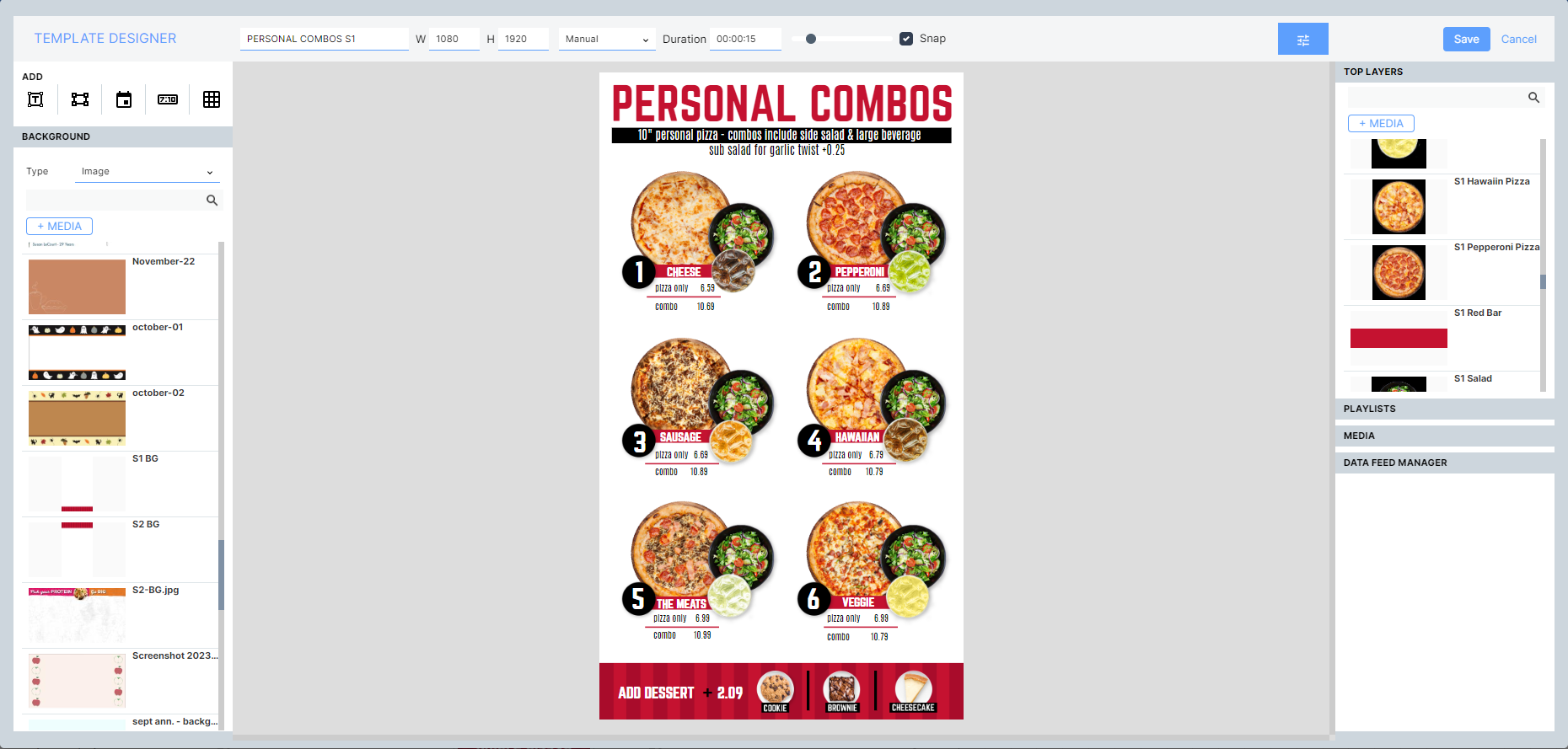
In-house designers transform static boards or build new digital designs, with day and night designs and storyboarded LTOs.
Content management
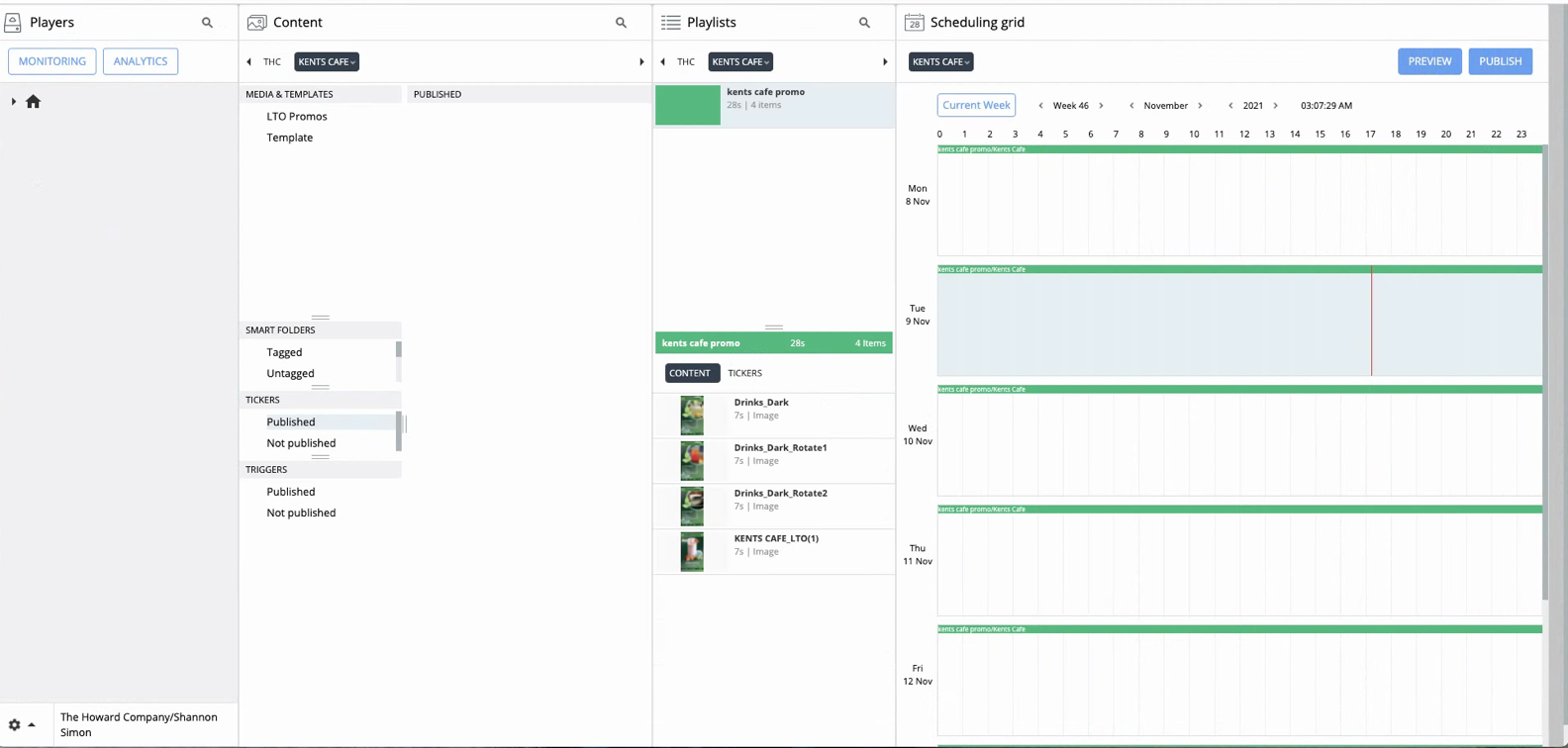
We keep your artwork on file and handle graphics for new locations, pricing and menu updates, scheduled LTOs, and playlists.
Template creation
Editable, data-loading templates built in your CMS, with dynamic regions for rotating images and videos, so you change content anytime.
Training services
A one-hour session, included with your digital order, teaches your team to change pricing, schedule dayparts, and manage locations.
Video, motion & 3D
Transitions and color correction, motion animation like dancing combo numbers, and 3D content that brings branding to life.
Professional service bundles
Blocks of service hours you put toward designing and managing your digital assets, scaling support up or down as you need it.
AFTER INSTALL DAYKeeping your screens running
The work does not end at install day. Operations is the difference between screens that stay current and screens that quietly go dark.
Installation
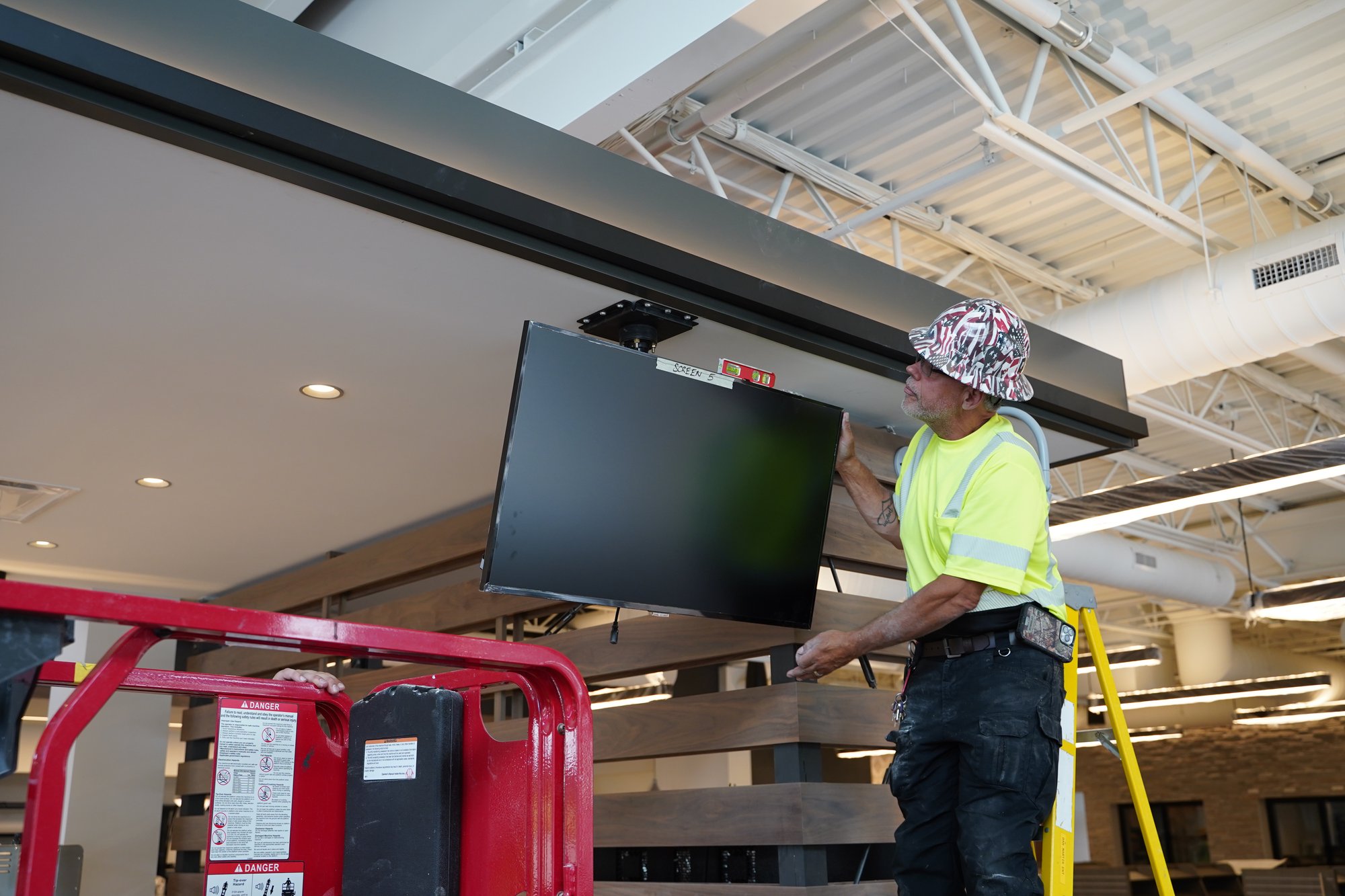
Professional mounting, cabling, and commissioning, so every screen powers on correctly and is registered to the network from day one.
Explore installation services →
Network management
Every location kept connected from one place, preventing the dark screen problem where a site is offline for days unnoticed.
Maintenance
Proactive monitoring flags hardware issues before a customer notices. Our Active Monitoring watches your displays around the clock.
Service & support
A knowledge base, training, and live phone and email help, plus clear warranty terms. Ask about response times before you sign.
BUDGETINGWhat does digital signage cost?
Cost depends on screen count, indoor vs. outdoor hardware, and whether you own the software or subscribe. Try out our free resources below to get a starting point on your ROI and what a setup could cost!
THE PROCESSFrom decision to live screens
Discovery
We confirm your objectives, environment, and POS, and recommend the right displays, players, and CMS.
Player setup & design
We set up your players to what your brand needs, and design your content if you don’t have your own ready. If templates are required, this is where that work begins.
Site survey & install
We confirm connectivity and mounting, then install and commission every screen.
Training & launch
Your team learns the CMS, and screens go live.
Ongoing support
Proactive monitoring and your chosen content support level keep everything current.
DUE DILIGENCEQuestions to ask any vendor
Use these with any vendor, including us.
✓ What is the business objective, and how will we measure success?
✓ Will this run reliably in my environment: indoor, sunlit window, or fully outdoor?
✓ Does the CMS integrate with my POS so pricing and sold-out items update automatically?
✓ Can my team edit content ourselves, or does every change route through the vendor?
✓ Is the software a license I own or a subscription, and what is the five-year total cost?
✓ How will the screens connect, and what happens if a connection drops?
✓ Am I locked into one hardware or software brand, or can the system grow and adapt?
✓ Who handles installation, monitoring, and support: one accountable partner, or several?
FREE DOWNLOAD Want the full framework?
Download our free guide, The 7 Key Elements of Digital Signage, for a deeper checklist you can use to evaluate any system.
FAQFrequently asked questions
What goes into a digital signage system?
A digital signage system has three core parts working together: software (the CMS that builds and schedules content), hardware (displays, mounts, and media players), and connectivity (how screens receive updates). Behind those three parts sit the business case, the content plan, and ongoing operations.
What is a digital signage CMS, and what does it do?
A digital signage CMS (content management system) is the software that builds, schedules, and pushes content to your screens. A good CMS supports dayparting, central control across all locations, browser-based editing by your own team, and direct POS integration for automatic pricing and sold-out updates.
What is the difference between commercial-grade and consumer-grade displays?
Commercial-grade displays are engineered for extended or 24/7 use, support both portrait and landscape orientation, and offer outdoor-rated models. Consumer-grade TVs cost less but wear out faster, are often landscape-only, and their warranties are frequently void when used for signage.
Can my team update the content ourselves?
Yes. With the right CMS and branded templates, your team can change prices, swap images, and launch promotions in a browser in minutes, with no vendor involvement. The Howard Company builds those templates and includes a training session so your staff can manage content independently.
How much does a digital signage system cost?
Digital signage cost depends on screen count, indoor vs. outdoor hardware, and whether you own the software or pay a subscription. Use our ROI and cost calculators for a real estimate for your setup, and compare total cost over five years rather than the sticker price.
Do you only sell one brand of hardware and software?
No. The Howard Company is software-agnostic. We match the right displays, media players, and CMS to your environment, your POS, and your team, rather than forcing one brand to fit every situation.
Know what you need, but not which system fits? That’s the point of being software-agnostic — we’ll match the right displays, players, and CMS to your environment, your POS, and your team.
Talk to a Howard specialist